FACEIT widget for OBS and Streamlabs
EgoWidgets is a FACEIT widget for OBS and Streamlabs that puts your live FACEIT ELO and match stats on your stream. Open the Studio, enter your FACEIT nickname, pick and customise an overlay, then paste one link into OBS as a Browser Source — no plugin to install and nothing to update by hand.
Choose the overlay that fits your stream:
- FACEIT ELO widgetyour live ELO, skill level and ELO change after every match.
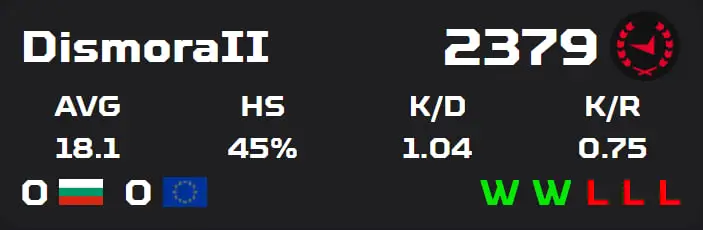
- FACEIT overlay for OBSa full stats overlay with K/D, win rate and your last 20 matches.
- FACEIT widget templatesanimated designs and video backgrounds you can customise.
Example overlay · Goku Ultra Dynamic
What the FACEIT widget can show
You choose which stats are visible, and adjust colours, fonts and size to match your stream layout.
ELO & level
Live FACEIT ELO and your skill level badge (1–10)
ELO change
ELO change over your last 20 matches
K/D & win rate
K/D ratio, average kills and win rate
Match results
Your last 20 match results, wins and losses
Win streak mode
Win streak mode that transforms the overlay after 5 wins in a row
Rankings
Country and global ranking position
OBS and Streamlabs setup in four steps
Enter your nickname
Open the Studio and enter your FACEIT nickname.
Pick a template
Choose a template and adjust its colours, fonts and visible stats.
Copy the URL
Copy your widget's Browser Source URL.
Add it to OBS
In OBS Studio or Streamlabs, add a Browser Source, paste the URL and set the size (for example 440 × 140 px for the ELO widget).
Want a walkthrough? Read how to add FACEIT ELO to OBS, or see the FACEIT overlay for OBS page for the full list of stats.
Free FACEIT widget templates
EgoWidgets is free to use. Creating a widget, browsing the template library, customising a design and generating your OBS link all cost nothing.
Browse FACEIT widget templateswith video backgrounds, neon effects and win streak mode.
HOW IT WORKS
Set up your FACEIT overlay in less than 30 seconds.
SEE EGOWIDGETS IN ACTION
Your widget overlay, live on stream — exactly as your viewers see it.
WHY EGOWIDGETS
Everything you need for a professional stream overlay.
TEMPLATES
THE DIFFERENCE IS CLEAR
Drag to compare a basic overlay against an EgoWidgets design.
CUSTOMISATION
Full control over colors, fonts, and which stats appear on screen.
TEMPLATE CREATION
Pick a template, make it yours — adjust colors, fonts, and visible stats in seconds.
WIN STREAK MODE
Hit 5 wins in a row and your overlay transforms. Drag to compare the normal and streak states.
FAQ
Is EgoWidgets free?
Yes. EgoWidgets is free to use: loading your stats, browsing and customizing templates, and generating your OBS link all cost nothing.
Does it use the official FACEIT API?
Yes. EgoWidgets uses the official FACEIT Data API to fetch live match statistics, ELO, rank, and match history. Your stats are always fresh and accurate.
Do I need to install software?
No installation needed. EgoWidgets is entirely browser-based. You simply paste the generated URL into OBS as a Browser Source — that's it.
Does it work with OBS Studio?
Yes. The widget URL works as an OBS Browser Source in OBS Studio, Streamlabs OBS, and any streaming software that supports browser sources.
Can I customize templates?
Absolutely. You can change the accent color, per-element fonts and sizes, and toggle which stats appear. The custom template editor lets you add backgrounds by link and write your own CSS.
How do I add a FACEIT widget to OBS?
Open the Studio, enter your FACEIT nickname, choose a template, copy your widget URL and add it in OBS as a Browser Source. Setup takes under 30 seconds.
Does the FACEIT widget work with Streamlabs?
Yes. The same widget URL works as a Browser Source in OBS Studio, Streamlabs OBS, and any streaming software that supports browser sources.
How often do the FACEIT stats update?
The widget refreshes on its own. FACEIT data is checked roughly every minute while you are idle and more often around a match, so your ELO and results stay current on stream.
Do I need a FACEIT account or login?
No. Enter a FACEIT nickname in the Studio and EgoWidgets loads that player's stats from the official FACEIT API. You are never asked for your FACEIT password.